Tested on real exports: two group chats of 13,442 and 52,178 messages were read completely, the larger one in 0.14 seconds — what's inside a WhatsApp export.
How to export a WhatsApp chat
- iPhone: open the chat, tap the contact or group name at the top, scroll down and tap Export Chat. Choose Attach Media to include photos, and save the .zip to Files or send it to your computer.
- Android: open the chat, tap ⋮ → More → Export chat, and choose Include media or Without media. Save it to your files or Google Drive.
WhatsApp's help pages mention about 40,000 messages without media and 10,000 with media, but in our test an export without media held 52,178 messages. If a long chat is cut off, export it without media for the longest history.
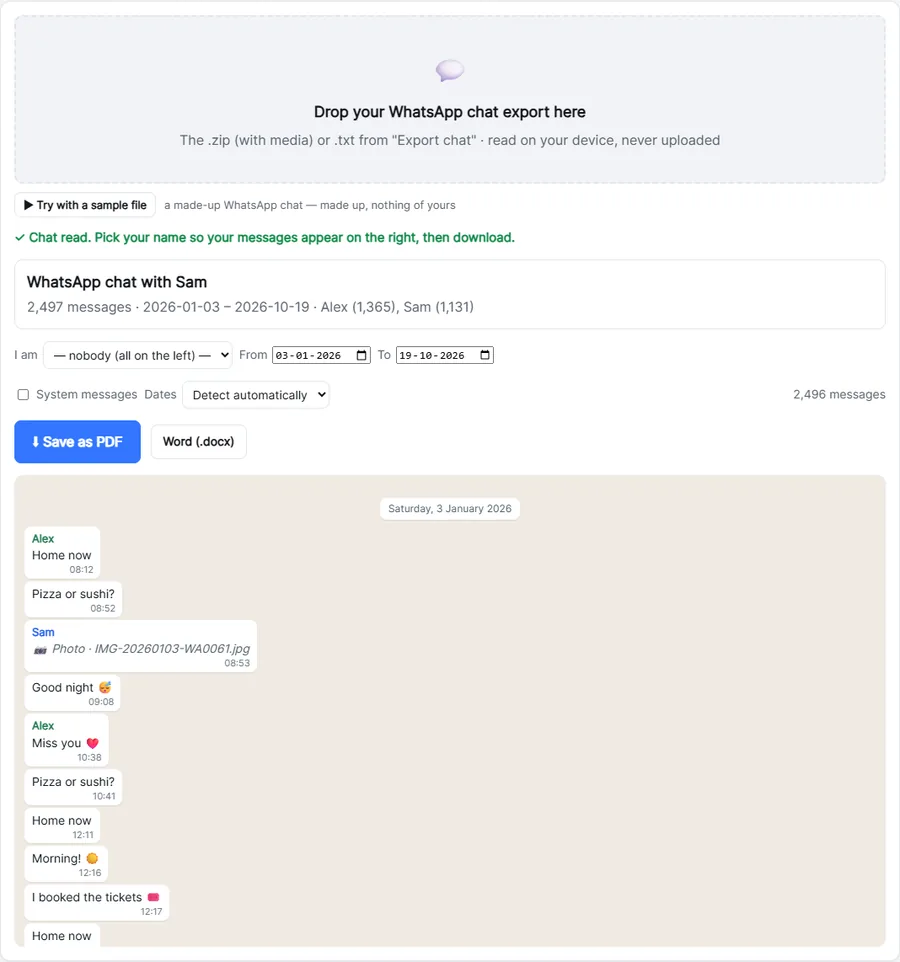
Turn it into a PDF
- Drop the exported
.zip(or.txt) on the box above. - Choose who you are under I am — your messages then appear on the right, like in WhatsApp.
- Optionally pick a date range, then click Save as PDF and choose Save as PDF in the print window.
What the PDF looks like
- Chat bubbles with names in colour, the time of every message and a heading for every day.
- Photos from a "with media" export right inside the conversation; voice messages, videos and documents are listed by name.
- Emoji, links and every language and script, exactly as written.
- Optional system messages (who joined, changed the group name…).
Why people save chats as PDF
- Evidence for a landlord, employer, insurer, lawyer or court — a PDF with dates and times is easier to submit than screenshots.
- Memories: a printed book of a relationship, a family group or a loved one's messages.
- Work: keeping a record of agreements with clients or suppliers.
- Backup before changing phones or deleting a chat.
Need an editable document instead? Use WhatsApp chat to Word. Already have a PDF to combine with others? Merge PDF.
Dates look wrong?
WhatsApp writes dates in your phone's format, for example 03/04 for 3 April or March 4. The order is detected automatically from the whole chat; if a chat only has ambiguous dates, set Dates to day/month or month/day yourself.
Private by design
A chat export contains private conversations. Here it is read and converted inside your browser — never uploaded, never stored, and there is no limit on the number of messages. Photos stay on your device too.
Free Forever Converter is not affiliated with WhatsApp or Meta.
Frequently asked questions
How do I convert a WhatsApp chat to PDF?
Export the chat in WhatsApp (Export chat), drop the .zip or .txt here, choose your name and click Save as PDF.
Are photos included?
Yes, when you export with media: photos appear in the chat. Videos, voice messages and documents are listed by name.
Is there a message limit?
No. Every message in the export is converted. WhatsApp's help pages mention an export limit of about 40,000 messages (10,000 with media); one export we tested held 52,178.
Does it work for group chats?
Yes. Every participant gets their own colour.
Is my chat uploaded?
No. The chat is converted in your browser and never leaves your device.
Does it work with iPhone and Android exports?
Yes, both — in any language and date format.