How to convert Excel to CSV
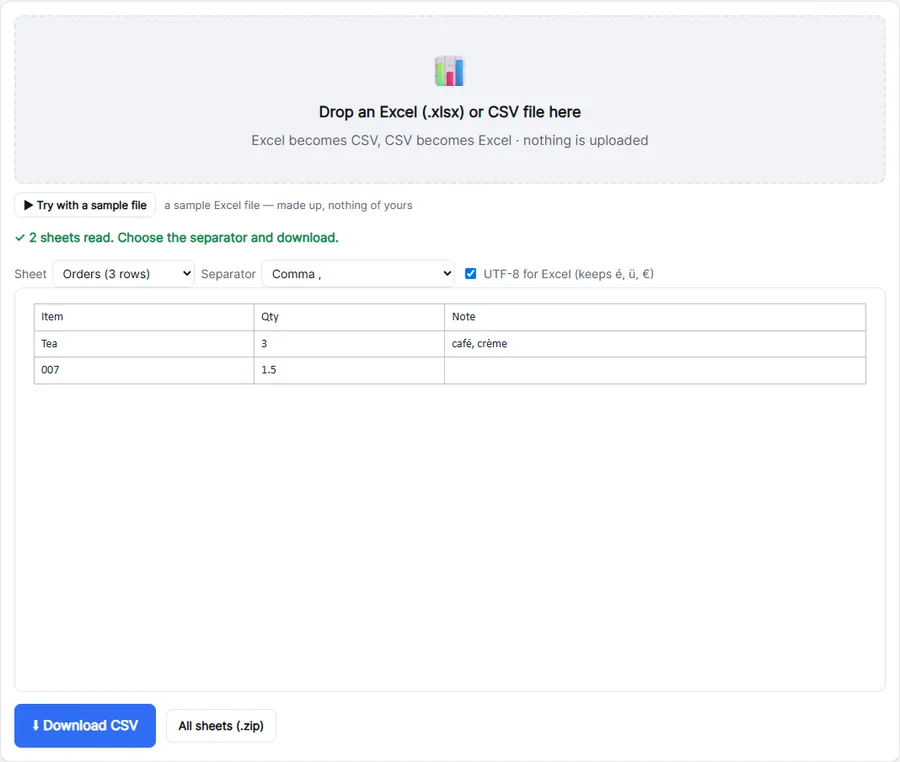
- Drop your .xlsx file into the box. You see a preview of the first rows.
- Pick the sheet and the separator: comma for most apps, semicolon for European Excel.
- Click Download CSV, or All sheets for one CSV per sheet in a .zip.
What is kept
- Values as you see them: text, numbers, TRUE/FALSE, and the last calculated result of formulas.
- Dates as
2026-10-25(and times as2026-10-25 14:30:00) — readable by every program. - Accents and symbols (é, ü, ñ, €): the CSV is UTF-8, with a marker so Excel opens it correctly.
- Leading zeros in text cells, like postcodes and phone numbers.
Comma or semicolon?
In countries where the decimal separator is a comma (most of Europe), Excel expects a semicolon between columns. If the CSV opens with everything in one column, choose Semicolon. For databases, Python, Google Sheets and most web apps, keep Comma. Need JSON instead? CSV to JSON.
Private by design
Your spreadsheet is read and written in your browser — nothing is uploaded, so it's fine for salaries, customer lists and finance exports.
Troubleshooting
- Numbers look different from Excel (1234.5 instead of 1.234,50): CSV stores raw values, not the formatting. That is what other programs need; Excel formats them again when you open the CSV.
- A formula shows an old value: the CSV gets the result Excel saved last. Open the file in Excel, let it recalculate, save, and convert again.
- "This is an old Excel .xls file": save it as .xlsx in Excel, LibreOffice or Google Sheets first.
- Merged cells: the value ends up in the first cell of the merged area; the others are empty.
Importing the CSV elsewhere
- Google Sheets: File → Import → Upload, and choose the separator you picked here.
- Databases and Python: keep Comma and turn the Excel tick off if the tool chokes on a byte-order mark.
- Back to Excel later? Use CSV to Excel, which keeps leading zeros.
Frequently asked questions
How do I convert all sheets to CSV?
Click All sheets: you get a .zip with one CSV per sheet.
Can I convert an old .xls file?
Not directly. Open it in Excel or Google Sheets and save it as .xlsx first.
Why do dates look like 2026-10-25?
That is the international date format every program reads correctly, whatever the language of your computer.
Are formulas kept?
CSV can’t hold formulas; you get the calculated values.
Are hidden sheets converted?
Yes. Every sheet in the workbook is listed, hidden or not.
Is my spreadsheet uploaded?
No. It is read in your browser.